


Houston News from KHOU 11
4.52.08K Reviews
App Specs
- Version
- 50.23.2
- Updated On
- License
- Free
- Downloads
- 100,000+
- Developer
- TEGNA
- Categories
- News & Magazines
- Platform
- Android
Screenshots
 Analysis by AppCompare
When I want a quick sense of what is happening around Houston, I do not always need a full national news app. I usually need something closer to home: a developing local story, a weather update, or a live report that explains why traffic and plans have suddenly changed. That is where Houston News from KHOU 11 makes the most sense. It is a free News & Magazines app from TEGNA, built around Houston-area coverage rather than a broad stream of unrelated headlines.
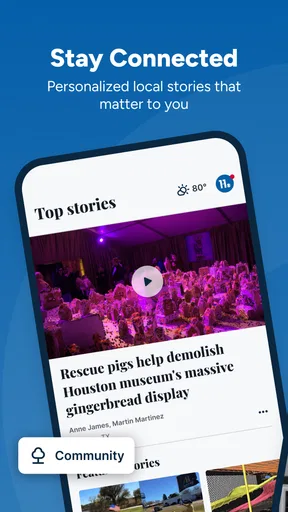
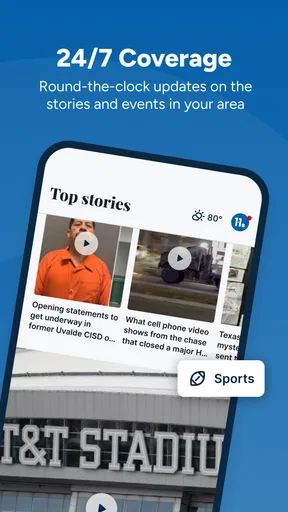
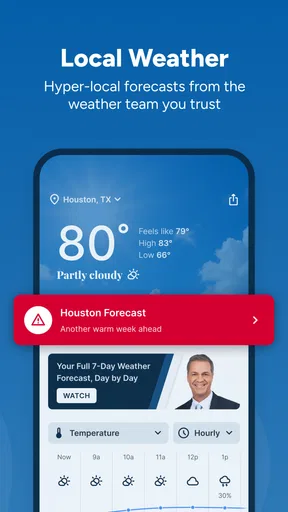
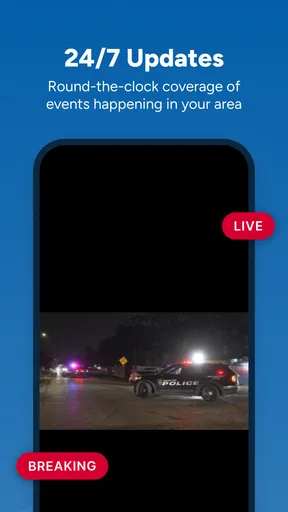
The feature that shapes my experience most is the combination of local news, live video, and weather in one place. That sounds simple, but it changes how useful the app feels during a fast-moving situation. A written article can give me context, while live video helps me understand what is happening right now, and weather information gives the event a practical meaning for my day. I found that combination more valuable than merely having another list of headlines.
The app has been available since Dec 17, 2010, and its current version is 50.21.0. It is rated for Everyone, works from Android 7.1 onward, and has passed 100K installs. Its average rating is 4.5 from around 7,100 ratings, with about 2,100 written reviews. Those figures suggest that it has built a dependable audience, although popularity alone does not make it the right choice for every reader.
Why the local live-news focus matters
The strongest reason to use this app is its local point of view. National news services are useful when I want a broad overview, but they often make a Houston event compete with stories from across the country and the world. KHOU 11 keeps the emphasis on the Houston area, so the information is more immediately connected to where I live, work, drive, or make plans.
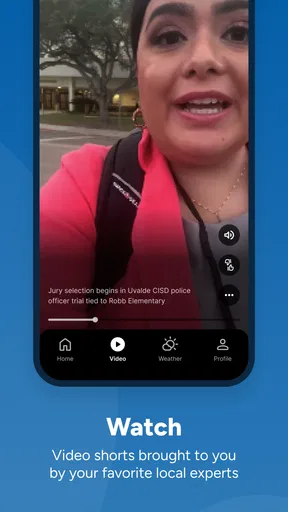
I see the live-video capability as more than a visual extra. During a developing story, video can answer questions that a headline cannot. Is a road actually affected, or is the issue limited to one location? Does a weather situation appear isolated, or is it spreading across the area? Is an official announcement still unfolding? Watching coverage gives me a better sense of timing and seriousness than scanning short text updates alone.
That does not mean video replaces articles. I prefer written coverage when I need to revisit details, check names, or understand the background of an event. The useful part is being able to move between the two formats without leaving a local news environment. In my experience, this makes the app feel closer to a compact Houston news desk than a simple headline reader.
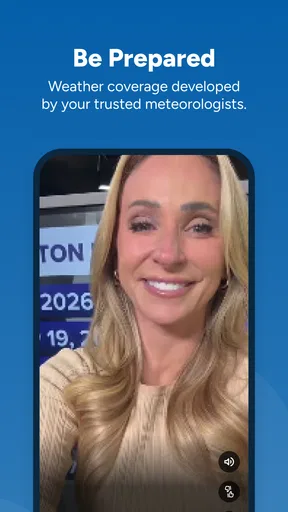
The weather element is equally important because local weather is rarely just a forecast question. It affects commutes, outdoor plans, school routines, errands, and whether I should leave earlier than usual. Having weather alongside local reporting creates a practical connection: I can read what is happening and then consider what it means for my next few hours.
Worth Reading Before You Choose

EA SPORTS FC Mobile 26 Is a Bigger Football Game, but It Takes Time

Flipboard Shows What News Apps Must Do Beyond the Feed

Switching to Android Auto Means Rethinking Your Driving Routine

Google Calendar Makes a Crowded Week Easier to Manage

Ludo King Makes the Most of the Minutes Between Plans

Baby Panda World Brings Quick Play to Modern Phones, but Its Game Library Feels Busy
A realistic morning with the app
Imagine waking up to dark skies and an unusually slow commute. I would open the app first for the local headlines, then check the weather information before deciding whether to change my route or delay an errand. If a live report is available, I can watch it to get more context instead of relying only on a short alert shared through social media.
That workflow is one of the app’s quiet strengths. I do not have to assemble the situation from a weather-only app, a national news service, and posts from several accounts. The local focus keeps the information connected. It is especially useful when the question is not “What is happening in the world?” but “What should I know before I leave home in Houston?”
I would still verify details before making an important decision, particularly during a rapidly changing emergency. A news app can inform me, but it should not be treated as a substitute for official instructions. The app works best as a clear local briefing tool, not as the only source I consult for safety-critical directions.
Using the coverage in everyday situations
In practice, I would use Houston News from KHOU 11 in short sessions rather than keeping it open all day. A quick visit in the morning can provide a local overview. Another check before heading home can show whether weather or a developing story has changed the situation. Live video is most useful when I have enough time to watch and need immediate context; written reporting is better when I am standing in line or trying to catch up quickly.
One helpful habit is to separate “what happened” from “what I need to do.” I first read the local report or watch the live coverage to understand the event. Then I use the weather information and the practical details in the report to decide whether it affects my route or schedule. This prevents me from treating every dramatic headline as a personal emergency while still keeping me alert to genuinely relevant changes.
The app can also help people who have moved away from Houston but still care about the area. A national service may mention a major event only when it becomes widely significant. A Houston-focused app is more useful for keeping up with local developments, community issues, and weather patterns that matter to family, friends, or property in the region.
For visitors, the value is narrower but still real. If I were traveling through Houston, I would use it to understand local conditions rather than relying entirely on generalized forecasts. The app would not replace a navigation tool or a dedicated travel guide, but local reporting could add context that those services do not provide.
Where it fits beside other news apps
Compared with a national news app, this one wins on relevance for Houston and loses on breadth. I would not choose it when I want a complete international briefing or several viewpoints on a national political story. A broad aggregator is better for that. On the other hand, an aggregator can bury a local development beneath stories that have no effect on my day, while this app starts much closer to home.
Compared with a weather-only app, KHOU 11 offers more explanation. A weather service may be faster for checking a forecast detail, but it usually does not give me the same local reporting context. If I only need a temperature or a radar view, a specialized weather tool may be the quicker choice. If I want to understand how conditions are affecting Houston, the news app has a stronger case.
Compared with social media, the app feels more focused. Social platforms can surface eyewitness information quickly, but they also mix speculation, repetition, and unrelated conversation into the same stream. I prefer the app when I want a more organized starting point. The tradeoff is that social media may show a personal view from a location before a newsroom has produced a full report.
There is also a difference between live video and constant notifications. I find live coverage useful when I deliberately open it and pay attention. I do not want every update to interrupt my day, so I would approach the app as an on-demand source rather than assuming it should replace every other way I receive information. That choice keeps the experience useful instead of turning it into background noise.
Small habits that make the app more useful
My first tip is to use live video selectively. When a story is developing, watching the coverage can provide valuable visual context. For routine updates, however, reading is usually faster. Switching formats based on the question I am trying to answer saves time and avoids treating every story as something that requires a video session.
My second tip is to check the weather in relation to the story, not separately from it. If a report concerns travel, outdoor conditions, or a storm, the weather information becomes more useful when I consider it alongside the local coverage. This is a more practical workflow than opening the weather section only to look at an isolated forecast.
My third tip is to use the app at decision points: before commuting, before an outdoor event, or when a local issue begins appearing in conversations. Those are the moments when Houston-specific information has the highest value. Opening it repeatedly without a clear purpose can make any news service feel repetitive, especially when a story is still developing and updates are incremental.
A fourth useful distinction is between a local briefing and a complete archive. I would open the app to learn what is important now, then return to a longer article when I need sustained background. That expectation matters because the app’s main advantage is immediacy and local relevance, not serving as my only research tool for every subject.
The compromises I noticed
The local focus is also the main limitation. If my interests are mostly national or international, much of the app’s content will not be relevant enough to justify regular use. Even someone in Houston may prefer a different service for business news, technology, entertainment, or specialized reporting. This app is strongest when the subject is tied directly to the Houston area.
Live video can also demand more attention than a quick text update. I may want an answer in a few seconds, but a live segment may require watching long enough to understand the point. That is not a flaw in the capability itself; it is a tradeoff between richer context and speed. When I am busy, I favor reading. When the situation is confusing or visual, I favor video.
Another consideration is that local coverage can feel repetitive during a long-running event. The central value of the app is keeping me informed as a story changes, but not every visit will reveal a major new development. I would not judge it by expecting fresh, dramatic information every time I open it. Its usefulness comes from checking at sensible moments and recognizing when an update is meaningful.
The app is free, which removes the biggest barrier to trying it. Still, free access does not automatically mean it will fit every personal news routine. Someone who already has a preferred local source may find the additional app unnecessary. I would install it when I specifically want Houston-centered reporting with live video and weather, not simply because I need another general news feed.
Its Everyone content rating makes it suitable for a broad household audience. I appreciate that accessibility when several people use the same device or when I want a straightforward local news option for a family member. At the same time, suitability for all ages does not mean every story will be comfortable or light; local news naturally includes serious events, so readers should still use their own judgment about when and how they follow it.
Who should choose it
I would recommend this app most strongly to Houston residents who want a local first look at the day. It is particularly well suited to commuters, parents planning around changing conditions, people who spend time outdoors, and anyone who wants live coverage when a local story is unfolding. The weather connection makes it more practical than a local headline list alone.
It is also a good secondary app for people who already use a national service. I would not ask it to replace that broader source. Instead, I would use the two for different jobs: the national app for wider context and KHOU 11 for Houston-specific developments, local video, and weather-related decisions. That division of labor feels more efficient than forcing one app to cover every information need.
People who should skip it are those who want a single worldwide news dashboard, a specialist weather instrument, or a social feed built around instant user posts. They may find the local scope too narrow, the video less convenient than text, or the coverage less immediate than community reports. Choosing another option would be sensible if those are the features that matter most.
For me, the deciding question is simple: do I want to know what is happening in Houston and what it may mean for my day? If the answer is yes, the app earns a place on my phone. Its best quality is not that it tries to do everything, but that it brings local reporting, live video, and weather into one focused routine.
Overall, I see Houston News from KHOU 11 as a practical local companion rather than a universal news replacement. TEGNA has positioned it for people who value nearby information, and the combination of formats gives me more context than a plain headline stream. I would keep it for Houston-area awareness, especially during changing weather or developing local coverage, while relying on other tools for broader news, detailed forecasting, navigation, or specialist subjects.
My recommendation is straightforward: install it if local Houston relevance matters more to you than having the widest possible news selection. The free price and broad age rating make trying it easy, and the live-video capability can be genuinely useful when text alone leaves too many questions. Just use it with realistic expectations: it is at its best as a focused, on-demand local briefing, not as the only app responsible for every kind of information.
Pros
- Covers breaking news
- weather
- traffic
- and local events in one app.
- Push alerts help users stay informed about urgent Houston developments.
- Includes live newscasts and video reports for major stories.
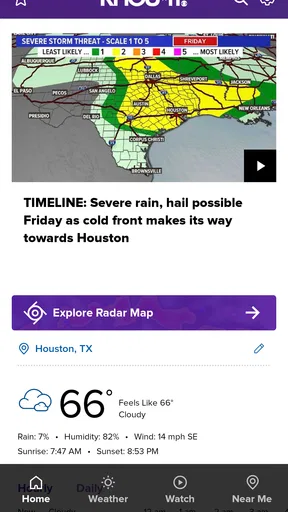
- Weather forecasts feature radar maps and severe-weather updates.
- Easy access to KHOU 11’s trusted local journalism and investigations.
Cons
- Some alerts may feel frequent or repetitive during developing stories.
- Video playback can use significant mobile data without Wi-Fi.
- Certain articles may load slowly on weaker cellular connections.
- Advertising can interrupt browsing and make pages feel crowded.
- Coverage is focused on Houston
- so it may be less useful elsewhere.
FAQs for Houston News from KHOU 11
What is Houston News from KHOU 11?
Houston News from KHOU 11 is a local news app focused on the Houston, Texas, area. It provides access to breaking news, weather updates, traffic information, investigative reports, community stories, sports coverage, and video content from the KHOU 11 newsroom. The app is designed for users who want a convenient way to follow important local and regional developments throughout the day.
What type of content can I find in the KHOU 11 app?
The app typically includes local headlines, live or on-demand news video, weather forecasts, severe weather alerts, radar information, traffic updates, crime and public safety reports, sports news, entertainment stories, and human-interest features. Content availability may change depending on current events, newsroom coverage, and your location. Some stories may also include photo galleries or links to additional reporting.
Does Houston News from KHOU 11 provide weather alerts and forecasts?
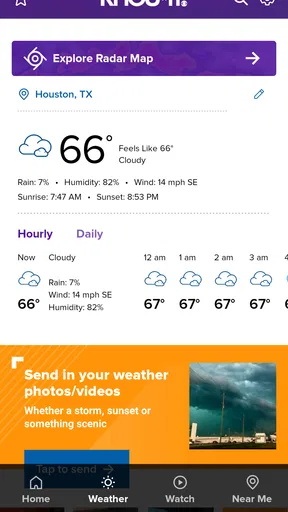
Yes, weather is one of the app’s most useful features for Houston residents and visitors. You can check current conditions, hourly and extended forecasts, radar imagery, and severe weather coverage when storms or other hazards affect the region. Depending on your settings and device permissions, the app may also send notifications about significant weather events, although it should not replace official emergency alerts.
Can I watch KHOU 11 news live through the app?
The app may offer live streaming or live video coverage during selected newscasts, breaking-news events, weather emergencies, and special reports. Availability can depend on broadcast schedules, licensing restrictions, your location, and the station’s current streaming policy. If a live stream is unavailable, the app generally provides recorded clips, video reports, and written updates so you can still follow developing stories.
Is Houston News from KHOU 11 free to download and use?
The KHOU 11 news app is generally available as a free download for compatible Android and iOS devices. Most news articles, videos, forecasts, and alerts can usually be accessed without a subscription, but the app may contain advertising or sponsored content. Mobile data charges can apply when streaming video or using the app away from a Wi-Fi connection, so reviewing your carrier plan is recommended.


